
Key takeaways
- Kodak Mini 2 Retro portable photo printer review covering 4PASS dye-sub print quality, Bluetooth app printing, cartridge costs and who it suits.
As an Amazon Associate we earn from qualifying purchases
Phone cameras keep getting better, yet most photos never leave the screen. A pocket photo printer closes that gap, and the Kodak Mini 2 Retro is one of the smallest ways to do it: a Bluetooth printer, roughly the footprint of a phone, that produces credit-card-size prints using dye-sublimation rather than ink or toner. This Kodak Mini 2 Retro portable photo printer review looks at what the printer actually does well, where the compromises sit, and who should buy it instead of a larger 4×6 model or a ZINK-based rival.
The review covers the printer’s 4PASS printing process, real print size and resolution, battery and charging behaviour, the Kodak Photo Printer app, and the ongoing cost of its all-in-one cartridges. It also flags the buying mistakes that catch people out, such as ordering the wrong cartridge family or expecting album-size prints from a 2.1 x 3.4 inch format.
Kodak Mini 2 Retro Portable Photo Printer Review: The Short Version
The Mini 2 Retro (model P210R) is a portable photo printer built around one idea: laminated, credit-card-size prints from a phone, anywhere. Its 4PASS dye-sublimation engine lays down three colour layers and then seals each photo under a clear protective layer, so prints come out dry, smudge-resistant, water-resistant and resistant to fading and fingerprints. Each print takes roughly 55 seconds, resolution is 300 dpi, and the printer pairs over Bluetooth with iPhone and Android phones through the Kodak Photo Printer app.
The trade-offs are just as clear. Prints are small at 2.1 x 3.4 inches, the printer only accepts Kodak’s own 4PASS cartridges for this size, and a full charge covers up to 25 prints, so heavy sessions need a power bank or a cable nearby. Buyers who want wallet photos, journal prints and durable little keepsakes will get on well with it. Buyers who want framed 4×6 photos should look at a bigger machine.
Quick Picks
| Product | Best for | Key spec |
|---|---|---|
| Kodak Mini 2 Retro (P210R) | Pocket-size laminated prints from a phone | 4PASS dye sublimation, 2.1 x 3.4 in prints at 300 dpi |
Because this is a single-product review, the table lists the one printer under discussion: the white 38-sheet bundle of the Kodak Mini 2 Retro. Colour variants and larger sheet bundles of the same printer exist, but the hardware, print engine and running costs are identical across them.
How to Choose
Print Technology: Dye Sublimation vs ZINK vs Inkjet
Portable photo printers use three main technologies. Dye sublimation, the method in the Mini 2 Retro, transfers colour from a ribbon in layers and can add a protective laminate pass, which is why Kodak calls its system 4PASS. The result is smooth colour gradation and a sealed surface. ZINK printers use heat-activated crystals in special paper, need no ink at all, and often produce slightly softer colour with a sticker back option. Mini inkjet models are larger and slower but print bigger formats. For small, durable keepsakes, dye sublimation is the strongest of the three on finish quality.
Print Size and Format
The Mini 2 Retro prints at 2.1 x 3.4 inches, about the size of a credit card or a classic wallet photo. That suits journals, planners, fridge magnets, lockers and photo booths. It does not suit frames on a wall or detailed landscapes where fine detail matters. Decide the destination of your prints first; the format decision follows from it.
Running Costs and Cartridges
This printer uses an all-in-one cartridge that combines the ink ribbon and the paper, so a refill swaps both at once and there is no separate ink to buy. Cartridges are specific to the 2.1 x 3.4 inch 4PASS format, and packs are sold in several sheet counts. The per-print cost of dye-sub cartridges is higher than bulk inkjet printing at home, so frequent high-volume printing adds up. Occasional keepsake printing is where the format makes sense.
Battery Life and Charging
A built-in rechargeable battery frees the printer from a wall socket. Kodak rates a full charge at up to 25 prints, and a full recharge takes about 60 minutes over the included USB Type-C cable. For a party or a trip, that means planning around the battery: print in bursts, top up between sessions, or run it plugged in when an outlet is close.
App and Connectivity
There is no screen and no buttons beyond the basics on the printer itself; everything runs through the Kodak Photo Printer app on iOS or Android over Bluetooth. The app handles cropping, filters, frames, collages and the choice between bordered retro-style prints and borderless output. A phone with a recent Bluetooth version and the app installed is required, so a computer-only workflow is not an option.
The Product in Detail
Kodak Mini 2 Retro 4PASS Portable Photo Printer (White, 38-Sheet Bundle)

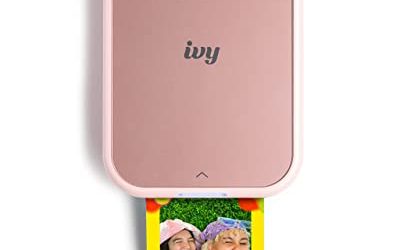
The Mini 2 Retro is Kodak’s pocket dye-sublimation printer, made by Prinics and sold under the Kodak brand. It measures its output in wallet photos: 2.1 x 3.4 inch prints at 300 dpi, produced one at a time in about 55 seconds each. The printer itself weighs 255 grams, light enough for a jacket pocket or a small bag, and its retro-styled body comes in a handful of colours. The 38-sheet bundle pairs the printer with cartridges totalling 38 sheets, a USB Type-C charging cable and a user guide, so it can print straight out of the box.
Printing works through the 4PASS process. Three passes lay down yellow, magenta and cyan from the cartridge ribbon, and a fourth pass adds a clear lamination layer. That final layer is the feature that separates this printer from most pocket rivals: finished prints resist fingerprints, smudges and water splashes, and the sealed surface slows fading compared with unprotected prints. Photos emerge dry and can be handled immediately.
The workflow is deliberately simple. Load a cartridge, pair the printer with a phone over Bluetooth, pick a photo in the Kodak Photo Printer app, adjust or decorate it, and print. The app offers borders for a retro instant-photo look or borderless output, plus basic editing tools, frames and collage layouts. There is no Wi-Fi printing, no memory card slot and no way to print from a desktop computer, which keeps the device focused but limits flexibility.
- Strength: Laminated 4PASS prints that resist water, smudges, fingerprints and fading, a finish most pocket printers cannot match.
- Strength: Genuinely pocketable at 255 grams, with a simple cartridge system that combines ink and paper in one swap.
- Strength: The app supports bordered and borderless prints, collages and light editing, and pairs with both iPhone and Android.
- Trade-off: The 2.1 x 3.4 inch format is small; anyone wanting 4×6 album prints needs a different printer.
- Trade-off: Battery life caps at roughly 25 prints per charge, and cartridges are proprietary to this print size.
- Skip it if… you mainly print documents or large photos, you want the lowest possible cost per print, or you refuse to rely on a phone app for every print job.
Print Quality and Day-to-Day Use
What the Prints Look Like
Dye sublimation builds colour in continuous layers rather than dots, so skin tones and gradients look smooth at this small size, and 300 dpi keeps edges clean on a 2.1 x 3.4 inch print. The lamination layer gives photos a slight sheen and a protected feel in the hand. Fine detail is limited by the format itself: group photos with many small faces and wide landscapes lose impact at credit-card size, while portraits, pets, food and close-up subjects hold up well.
Speed and Noise
Each print takes about 55 seconds, during which the paper passes in and out of the slot several times as the colour and lamination layers are applied. That is normal for dye sublimation and worth knowing before a party: printing ten photos for guests is a ten-minute job, not a one-minute job. The mechanism is quiet enough for indoor use and will not disturb a room.
Battery Behaviour in Practice
Kodak’s figure of up to 25 prints per charge assumes typical use; back-to-back printing sessions drain the battery faster than occasional single prints. The printer charges over USB Type-C in about an hour, and it can be topped up from a laptop or power bank, which makes it practical for travel days as long as a cable is in the bag.
Refills and Ongoing Costs
Refills are the real long-term commitment. The Mini 2 Retro accepts only Kodak 4PASS cartridges made for the 2.1 x 3.4 inch format; cartridges for the Mini 3 Retro (3 x 3 inch) and other Kodak lines do not fit. Each cartridge combines ribbon and paper, so running out mid-event means swapping the whole cartridge, not just adding paper. Keeping one spare cartridge on hand avoids an interrupted session, and buying larger sheet-count packs generally works out better value per print than the smallest packs.
Which One Fits Your Situation
For Scrapbooks and Journals
This is the printer’s home ground. Credit-card prints fit journal pages, planners and scrapbook layouts without crowding out handwriting, the lamination shrugs off glue-free handling and page turning, and the bordered print option gives pages a consistent instant-photo look.
For Travel
At 255 grams with a battery inside, the Mini 2 Retro earns its place in a carry-on or daypack. Print a day’s highlights each evening, stick them into a travel journal, and recharge from the same USB Type-C cable used for other small gadgets. Just pack a spare cartridge on longer trips.
For Parties and Events
Pocket prints work well as instant party favours and photo-booth-style handouts, and the laminated finish survives pockets and drinks tables better than unprotected prints. Plan around the 55-second print time and 25-print battery: keep the printer plugged in at a fixed spot rather than carrying it around all night.
For Gifts and Family Sharing
The 38-sheet bundle is a self-contained gift: printer, cartridges, cable and guide in one box, with no extra purchases needed before the first print. It suits grandparents printing grandchildren’s photos from a phone, students decorating a room, and anyone who prefers physical photos to a camera roll.
For a Home Photo Corner
If most printing happens at home and prints go into standard frames or albums, a larger 4×6 dye-sub or inkjet printer fits better than this one. The Mini 2 Retro can still serve as a second, portable option, but as an only printer its small format becomes the limiting factor.
Common Mistakes
- Buying cartridges for the wrong Kodak line: Mini 3 Retro and Dock cartridges do not fit the Mini 2 Retro; match the 2.1 x 3.4 inch 4PASS format.
- Expecting 4×6 prints: the output is credit-card size, and no setting enlarges it.
- Judging the first print harshly: colours settle as the lamination pass completes, so assess the finished print, not a mid-cycle pass.
- Printing a full event on one charge: 25 prints per charge is the ceiling, so plug in for long sessions.
- Forgetting the app: the printer has no screen or computer driver, so a compatible phone with the Kodak Photo Printer app is essential.
- Storing cartridges in heat: dye-sub ribbons and paper keep best in cool, dry conditions away from direct sunlight.
- Comparing per-print cost with a home inkjet: pocket dye-sub costs more per photo; the value is portability and the laminated finish.
FAQ
How long does one photo take to print?
About 55 seconds per print. The paper moves through the printer several times while the three colour layers and the protective lamination layer are applied.
How many prints does one cartridge produce?
A cartridge prints the number of sheets it contains, since the ribbon and paper are matched inside it. The bundle in this review includes cartridges totalling 38 sheets, and refill packs come in several sheet counts.
Does the Mini 2 Retro need ink cartridges and paper separately?
No. Each 4PASS cartridge combines the ink ribbon and the photo paper in a single unit, so a refill is one swap with nothing else to load.
Can it print from both iPhone and Android?
Yes. The printer connects over Bluetooth and works with the Kodak Photo Printer app on iOS and Android phones. It does not print from desktop or laptop computers.
Are the prints waterproof?
The lamination layer makes prints water-resistant, smudge-resistant and fingerprint-resistant, and it slows fading. That is splash and handling protection, not a licence to soak prints for long periods.
Can the prints have a white border?
Yes. The app offers a bordered retro-style layout as well as borderless printing, so the same photo can be printed either way.
How long does the battery last?
Up to 25 prints per full charge, with a recharge time of about 60 minutes over USB Type-C. Continuous back-to-back printing may reduce the number of prints per charge.
FAQ
How long does one photo take to print?
How many prints does one cartridge produce?
Does the Mini 2 Retro need ink cartridges and paper separately?
Can it print from both iPhone and Android?
Are the prints waterproof?
Can the prints have a white border?
How long does the battery last?
More from Amazon
Programs that pair well with the guide above. Offers and eligibility are set by Amazon and may change.
A free business account with business pricing and bulk-buying tools for work, shop or home office.
Create a business accountFree shipping on eligible items, Prime Video and more. Eligible new members can start with a free trial.
Start a Prime free trialAudiobooks and podcasts to listen to on the go. Eligible new members can start with a free trial.
Try Audible freeAd-free music streaming. Eligible new subscribers can start with a free trial.
Try Music Unlimited freeAs an Amazon Associate we earn from qualifying purchases.



Write Your Review
No reviews yet. Be the first to share your experience!