
Key takeaways
- Find the best laptop stand for your desk with our guide to five aluminum risers that lift your screen, improve posture, and keep your laptop cool.
A laptop on a flat desk forces the screen too low, and that low screen pulls the neck and shoulders forward for hours at a time. A laptop stand lifts the display toward eye level, opens airflow under the chassis, and turns a cramped desk into a workspace that feels built for long sessions. The right stand is a simple upgrade with an outsized effect on comfort.
This guide compares five laptop stands for desk use, covering fixed risers, adjustable folding models, and a rotating option. Every pick is made for laptops, not tablets, and each one suits a different desk setup, from a permanent home office to a bag that travels between rooms.
As an Amazon Associate, we earn from qualifying purchases.
Our top picks
Best for: Shared desks and mixed laptop sizes
Check price on AmazonBest for: smaller laptops, including 13-inch and 14-inch ultrabooks and mainstream 15
Check price on AmazonBest for: Shared screens and collaborative desks
Check price on AmazonQuick Answer
For most desks, the Lamicall Adjustable Laptop Stand is the best laptop stand because it folds flat, adjusts height and angle, and fits laptops from 10 to 17.3 inches. If you want a fixed, set-and-forget riser, the Rain Design mStand and Twelve South Curve are the strongest choices. The rotating OMOTON stand suits shared screens, while the SOUNDANCE stand suits smaller laptops on a budget.
1. Lamicall Adjustable Laptop Stand

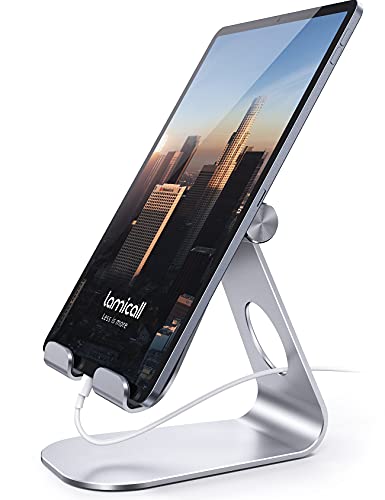
The Lamicall Adjustable Laptop Stand is the most versatile pick in this guide, and it works for almost any laptop and almost any desk. Its folding aluminum frame adjusts to different heights and angles, so the screen can sit at eye level whether the chair is low or high. The stand fits laptops from 10 to 17.3 inches, which covers compact ultrabooks, mainstream 14-inch machines, and large 17-inch workstations in one design.
Ventilation holes in the platform let air move under the laptop instead of trapping heat against the desk, and anti-skid silicone pads keep the machine from sliding during typing. The larger, heavier base adds stability that lighter folding stands often lack, so the screen stays steady while typing. When the workday ends, the stand folds down to about 12 by 10 by 2 inches and slips into a bag or a drawer.
This is the stand to choose when one desk serves several people or several laptops, since it adapts to each user in seconds and its wide size range means a household can share a single stand without worrying about fit.
Specs
- Material: Aluminum alloy with anti-skid silicone pads
- Laptop size: 10 to 17.3 inches
- Adjustability: Height and angle adjustable, folds flat
- Ventilation: Ventilation holes in the platform
- Folded size: About 12 by 10 by 2 inches
- Best for: Shared desks and mixed laptop sizes
2. Rain Design mStand

The Rain Design mStand takes the opposite approach to the Lamicall: instead of adjusting, it does one thing and does it well. This fixed-height stand is carved from a single piece of aluminum, so there are no hinges to loosen and no settings to fiddle with. The laptop sits at a comfortable raised height, and the screen lands near eye level for a typical seated desk setup.
A cable management hole in the back keeps charging cables tidy, and the open design leaves the underside of the laptop exposed to air, which helps the machine stay cool during long work sessions. Rubber pads protect the desk and stop the laptop from slipping forward.
The mStand suits a permanent desk where the laptop lives in one place. It trades adjustability for a clean, furniture-like presence, and it pairs naturally with an external keyboard and mouse.
Specs
- Material: Single-piece aluminum with rubber pads
- Laptop size: Fits most laptops up to 17 inches
- Adjustability: Fixed height, no moving parts
- Height: Raises the laptop by just under 6 inches
- Features: Rear cable management hole, open airflow design
- Best for: Permanent desks and a clean, fixed setup
3. SOUNDANCE Laptop Stand

The SOUNDANCE Laptop Stand is a straightforward aluminum riser for laptops from 10 to 15.6 inches, and it is the budget pick in this guide. Its solid metal platform lifts the laptop to a comfortable viewing angle, and the raised design lets heat escape from the underside of the machine. Silicone pads on the contact points grip the laptop and protect it from scratches.
This stand is best for smaller laptops, including 13-inch and 14-inch ultrabooks and mainstream 15.6-inch models. It is light enough to move between rooms, yet sturdy enough to hold a laptop steady, and the simple one-piece shape means there is nothing to assemble and nothing to adjust.
Choose the SOUNDANCE stand when the budget is tight and the laptop is 15.6 inches or smaller. It delivers the core benefits of a laptop stand, a higher screen and better airflow, without the extra features of pricier models.
Specs
- Material: Aluminum with silicone pads
- Laptop size: 10 to 15.6 inches
- Adjustability: Fixed ergonomic angle
- Design: Solid metal platform with open airflow
- Best for: Smaller laptops and budget desks
4. Twelve South Curve

The Twelve South Curve is a premium fixed stand made from a single piece of aluminum, and it is one of the cleanest-looking risers available. It lifts the laptop 6 inches off the desk, which brings the screen close to eye level and frees space underneath for a notebook, a keyboard, or a charging cable. The curved shape is both structural and decorative, giving the desk a sculpted, modern look.
Anti-slip silicone strips keep the laptop and the stand in place, and there are no hinges, buttons, or moving parts to wear out over time. The stand fits laptops from 11 to 17 inches, so it works with compact machines and large workstations alike.
This is the stand for a desk where appearance matters as much as function, such as a home office that doubles as a living space. Pair it with an external keyboard for the most comfortable typing position.
Specs
- Material: Single-piece aluminum with anti-slip silicone
- Laptop size: 11 to 17 inches
- Adjustability: Fixed height
- Height: Raises the laptop 6 inches off the desk
- Design: Curved profile with space underneath for storage
- Best for: Design-led desks and permanent setups
5. OMOTON Adjustable Laptop Stand with 360 Rotating Base

The OMOTON Adjustable Laptop Stand with a 360 rotating base is the most flexible pick here, and it is built for desks where the screen gets shared. The rotating base turns the laptop smoothly so a colleague, client, or family member can see the screen without moving the whole stand. Dual rotary shafts adjust height and angle, and the stand folds flat for storage when the workday ends.
It fits laptops up to 16 inches, which covers most mainstream machines, and the aluminum build keeps it stable while rotating. The foldable design makes it easy to pack away or carry to another room, so it works as well in a meeting space as it does on a home desk.
Choose this stand when the laptop screen is shared often, or when one desk serves as both a workstation and a meeting spot. The rotation is a genuine advantage in collaborative work, and the folding frame means it never has to stay out when it is not needed.
Specs
- Material: Aluminum with dual rotary shafts
- Laptop size: Up to 16 inches
- Adjustability: Height and angle adjustable, folds flat
- Rotation: 360 degree rotating base
- Best for: Shared screens and collaborative desks
How to Choose
Start with laptop size, because a stand that is too small will not hold a large machine safely. Measure the laptop diagonally and check it against the stand’s stated size range, leaving a little margin at each end. A 17-inch laptop needs a stand rated for 17 inches or more, while a 13-inch ultrabook works with almost any riser.
Next, decide between fixed and adjustable. Fixed stands are sturdier and simpler, with no hinges to wear out, and they suit a desk that never changes. Adjustable stands suit shared desks, standing desks, and anyone who changes posture during the day, because the screen height can follow the chair or the user. Folding models add portability for travel or for desks that must clear at the end of the day.
Also consider the typing position. A stand that lifts the screen high makes typing on the built-in keyboard awkward, so plan on an external keyboard and mouse. Check for silicone pads and a front lip, which stop the laptop from sliding, and look for ventilation holes or an open design if the laptop runs warm.
Who Should Skip
A laptop stand is not the right upgrade for every setup. Skip it when the laptop is mainly used on a lap, a bed, or a sofa, because a desk stand needs a firm, flat surface to sit on safely. It is also a poor fit for a desk that is already crowded, since the stand adds height and a footprint that a small surface may not have room for.
Very heavy gaming laptops near the top of a stand’s size range may also be a mismatch, especially with light folding stands that can flex under load, so choose a fixed aluminum riser for the heaviest machines. Anyone who types directly on the laptop keyboard for long stretches may find a high stand uncomfortable, since the keyboard tilts away from the hands.
Frequently Asked Questions
What size laptop stand do I need?
Measure the laptop diagonally in inches and match it to the stand’s stated size range. Most stands in this guide fit 10 to 17.3 inches, but the SOUNDANCE model tops out at 15.6 inches and the OMOTON at 16 inches. Leave a little margin at each end so the laptop sits securely without overhanging the platform.
Is a laptop stand good for posture?
A laptop stand helps posture by lifting the screen toward eye level, which reduces the need to hunch over a low display. The benefit is greatest when the stand is paired with an external keyboard and mouse, so the hands stay low while the screen stays high.
Do laptop stands help with cooling?
A raised stand improves cooling by letting air flow under the laptop instead of trapping heat against the desk. Stands with ventilation holes or an open frame design cool better than solid platforms, and the effect is most noticeable during long sessions.
Should I choose a fixed or adjustable laptop stand?
Choose a fixed stand for a permanent desk where one person uses one laptop, because fixed stands are sturdier and simpler. Choose an adjustable stand for a shared desk, a standing desk, or travel, because the height and angle can change with the user and the setting.
Final Verdict
The best laptop stand for most desks is the Lamicall Adjustable Laptop Stand, because it fits the widest range of laptops, adjusts to any user, and folds away when it is not needed. The Rain Design mStand and Twelve South Curve are the strongest fixed options for permanent desks. The SOUNDANCE stand is the sensible budget pick for smaller laptops, and the rotating OMOTON stand is the right choice when the screen gets shared.
FAQ
What size laptop stand do I need?
Is a laptop stand good for posture?
Do laptop stands help with cooling?
Should I choose a fixed or adjustable laptop stand?
More from Amazon
Programs that pair well with the guide above. Offers and eligibility are set by Amazon and may change.
A free business account with business pricing and bulk-buying tools for work, shop or home office.
Create a business accountFree shipping on eligible items, Prime Video and more. Eligible new members can start with a free trial.
Start a Prime free trialAudiobooks and podcasts to listen to on the go. Eligible new members can start with a free trial.
Try Audible freeAd-free music streaming. Eligible new subscribers can start with a free trial.
Try Music Unlimited freeAs an Amazon Associate we earn from qualifying purchases.






Write Your Review
No reviews yet. Be the first to share your experience!